Recovery
Recovery that prepares for loss
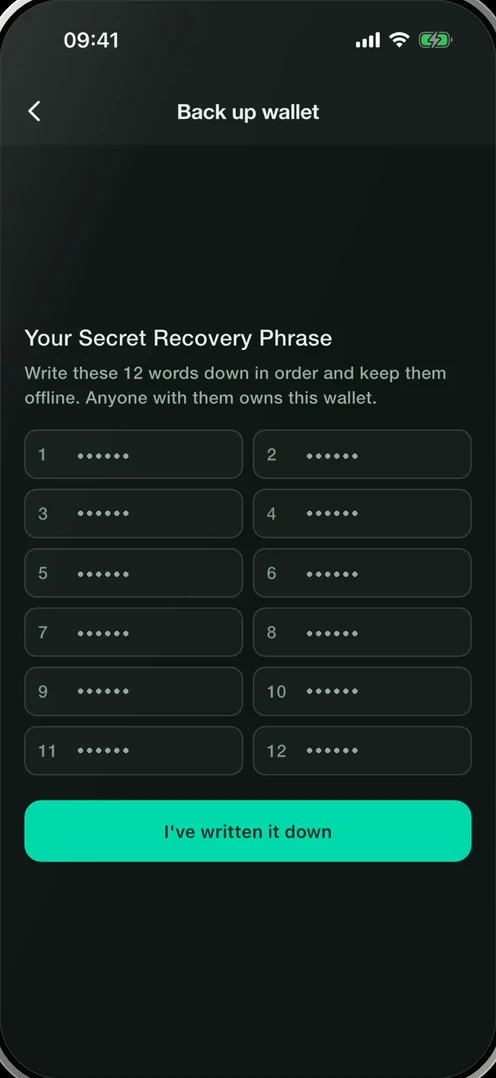
A recovery phrase is the cryptographic backup for a self-custody wallet. Smartable creates a 12‑word BIP‑39 recovery phrase for each new Smartable wallet, on your device.
Your recovery material — not a Smartable account — restores access to your wallet.
Your recovery phrase
For a new Smartable wallet, the recovery phrase contains 12 words. The words encode the BIP‑39 entropy used to derive wallet keys and supported network accounts.
- Write every word down by hand, in the exact order shown.
- Never photograph, screenshot, copy, paste, or share your phrase.
- Do not store it in notes, email, cloud documents, or messaging apps.
- Keep the written copy somewhere protected from loss, damage, and other people.
Anyone who has your recovery phrase can control your wallet.
Restoring another wallet
Smartable can import valid BIP‑39 recovery phrases created elsewhere, of 12, 15, 18, 21, or 24 words. Restored accounts and assets depend on the networks, derivation paths, and wallet features Smartable supports.
A missing word or an invalid phrase will fail validation. A different valid phrase, including words in a different order, can restore a different wallet.
Smartable does not currently support restoring a BIP‑39 passphrase-protected wallet.
Verify the backup
After you write down a newly created Smartable recovery phrase, the app asks you to confirm selected words before marking the backup complete.
- This helps catch a missing or misplaced word before you fund the wallet.
- You can reveal the phrase again from Settings after confirming your wallet password.
A backup that has not been checked is not yet a backup you should rely on.
Split backup shares
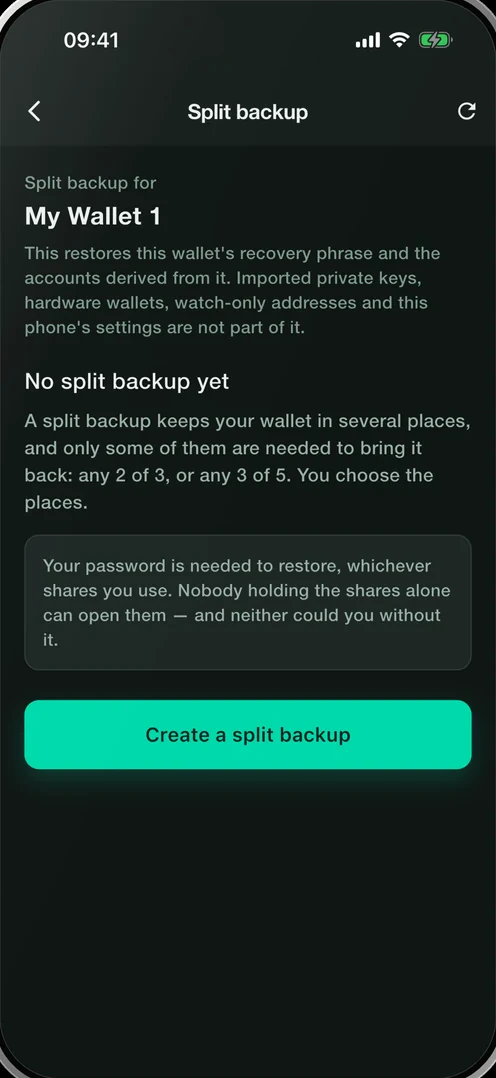
For additional resilience, Smartable can split compatible recovery material into SLIP‑39 shares. Choose either 2‑of‑3 recovery or 3‑of‑5 recovery.
- You need only the threshold you selected. With 2‑of‑3, any two shares reconstruct the recovery phrase; one share alone is not enough.
- Store shares independently — for example, on this device, as a written copy, and with backup locations or providers you choose. Do not keep every share in one place.
- Smartable verifies completed shares by reconstructing the same recovery phrase before reporting the split backup as ready.
The shares are another way to recover the same wallet; they do not create a second wallet.
Compatibility note
Smartable creates split backups for compatible BIP‑39 recovery phrases. The current split-backup flow supports 12‑word and 24‑word BIP‑39 phrases.
If you restore an existing 15-, 18-, or 21‑word phrase, keep its original recovery phrase secure. Do not assume it can be converted to Smartable split shares unless the app explicitly offers that option.
Limits
What Smartable cannot do
Smartable cannot see your recovery phrase. It is created or entered on your device, is not sent to Smartable, and is not stored in a Smartable account.
Smartable cannot reset your recovery phrase. There is no account-password reset that can restore a self-custody wallet.
Smartable cannot recover your recovery phrase. If you lose your device and all valid recovery material, the wallet cannot be recovered.
Recovery questions
I lost my phone. What now?
Install Smartable on a new device and restore with your recovery phrase. If you created a compatible Smartable split backup, you can instead restore with the required number of SLIP‑39 shares and the wallet password you had when you made the backup. The phrase derives the supported network accounts in your Smartable wallet — you do not need a separate recovery phrase for each supported chain.
Can Smartable support recover my wallet?
No. Support cannot access your phrase, reset it, reconstruct it, or bypass recovery. Anyone claiming they can recover your wallet without your own recovery material is not Smartable support.
Someone asked me to share my phrase to verify my wallet. Is that real?
No. It is always a scam. Smartable will never ask you to reveal a recovery phrase or recovery shares by email, direct message, social media, or a support chat. Anyone who receives enough recovery material to restore your wallet can take control of your funds.
Get started